
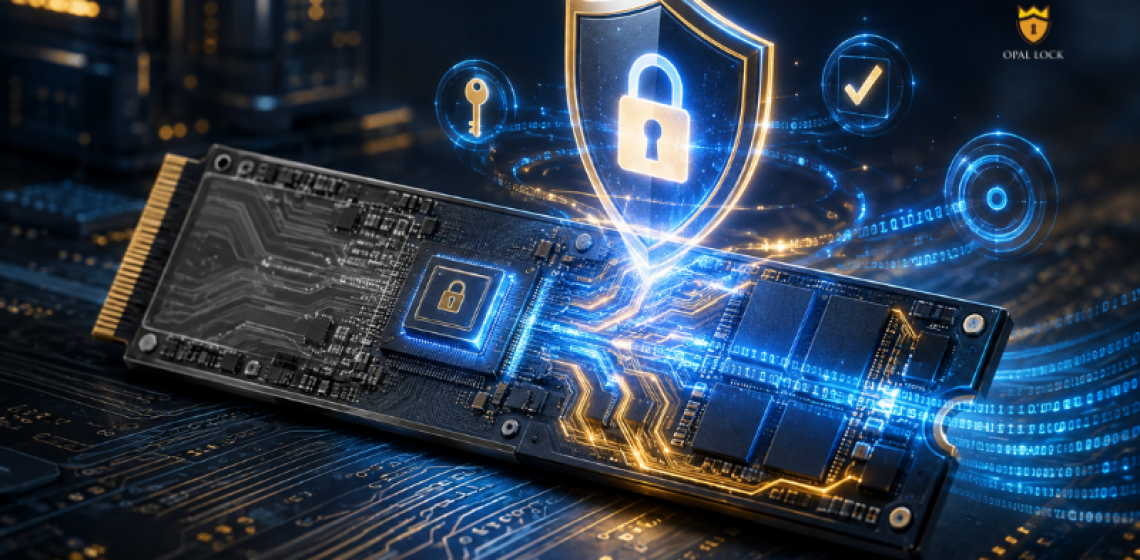
Most people who own one have never turned it on.
Browse any laptop spec sheet or SSD listing today and you will likely see terms like “self-encrypting” or “Opal-compliant.” They appear often. What they actually mean, and what needs to happen before they protect anything, is less often explained.
If you already own a modern laptop or external SSD, there is a reasonable chance the drive inside it was built to encrypt your data at the hardware level. Not because you specifically chose it, but because most drives from major manufacturers ship with a built-in encryption engine.
The problem is that most people, and most IT teams, have never turned it on.
What follows is a straightforward breakdown of what an Opal SSD is, how its encryption works, and what most teams are missing.
An Opal SSD is a storage drive that includes a built-in encryption engine inside the drive controller. That engine encrypts data as it is written and decrypts it as it is read. The process happens at the hardware level, independent of the operating system and without any software running on the host.
Here is the part that matters: the engine is there from the factory, but it is not active until someone sets it up. An Opal SSD that has never been configured with a password has no encryption running and no authentication required to access it. Anyone can read the drive. The encryption engine is present. It is not doing anything.
Setting up a password through a compatible management tool is what activates the security. Until that step happens, an Opal SSD and a standard SSD behave the same way for anyone who gets their hands on it.
TCG stands for Trusted Computing Group, an industry standards body that publishes specifications for hardware-based security. The Opal Storage Specification defines what a self-encrypting drive must do: how it handles encryption, authentication, locking ranges, and access control at the hardware level.
A drive that meets this specification is an Opal HDD/SSD. The encryption engine is built into the drive controller and operates independently of the host operating system. If the OS is bypassed, corrupted, or the drive is physically removed and connected to another machine, the data stays encrypted at the hardware level.
This is the meaningful difference between an Opal drive and other drive encrypted through software. Software encryption depends on the OS. Hardware encryption in a TCG Opal drive does not.
The TCG Opal specification has two main versions in common use: Opal 1.0 and Opal 2.0. Opal 2.0 is the more widely deployed version and includes additional locking range capabilities.
Pyrite is a related TCG specification that requires authentication but does not support drive encryption. It is designed for drives that implement access control at the hardware level without the encryption layer that Opal drives include.
Opal Lock by Fidelity Height supports drives conforming to TCG Opal 1.0, Opal 2.0, Pyrite 1.0, and Pyrite 2.0.
Opal SSDs are not limited to one form factor or interface. TCG Opal and Pyrite compliant drives exist across SATA, NVMe, and USB interfaces, and cover both solid state drives and hard disk drives where the drive controller meets the specification.
Opal Lock supports SATA, NVMe, and USB Opal drives on Windows 10, Windows 11, and Windows Server 2019 and 2022.
Drives compatible with the TCG Opal standard carry a Physical Security ID, known as a PSID, printed on the drive label. The PSID is specific to the drive and is used for certain recovery operations including PSID revert, which cryptographically erases the drive and resets it to factory state when the admin password is not available.
If the PSID is on the label, the drive is Opal-compatible. Opal Lock scans the system at startup, identifies compatible drives, and reports their status and drive information before any configuration begins.
Once a management tool like Opal Lock sets a password on an Opal drive, the drive enters a locked state on power cycle. Unlocking requires the correct credentials before the operating system loads, through a pre-boot environment configured on the drive itself, a bootable recovery USB, or a separate unlocked Windows system.
A drive that is locked in this state and removed from the original machine cannot be read on another system. The encryption engine inside the drive controller holds regardless of what is done to the host.
When the drive reaches end of life, Opal Lock supports cryptographic erase: the encryption key is deleted and all data on the drive becomes permanently unreadable. A Certificate of Sanitization is generated after the erase, providing documented evidence for compliance and decommissioning purposes.
The majority of organizations that own Opal SSDs have never activated the security on them. The drives ship with the encryption engine present but dormant. Nothing in the operating system prompts the user to set it up. Without a tool specifically built to manage TCG Opal drives, the capability sits unused.
Opal Lock exists to close that gap. It activates the encryption already inside a compatible drive and gives users and IT teams the controls to manage it across the full drive lifecycle, from first setup to final erase.
Compare Opal Lock editions at fidelityheight.com/shops/
Ready to buy
Activate hardware encryption on compatible Opal drives in minutes. Select your edition and complete purchase below.
