
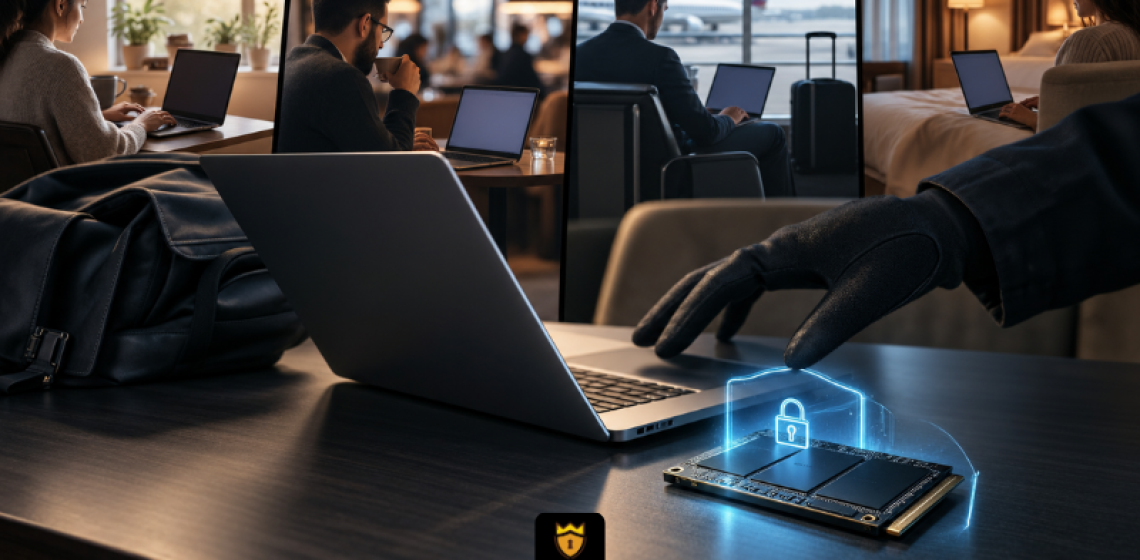
The perimeter is gone. The device is the boundary. And most devices have no hardware-level protection.
For most of the history of enterprise security, the perimeter defined the risk. Data was behind a firewall. Devices were in the office. If a device left the building, it was an exception. Now it is the default.
Nearly 80% of employees whose jobs can be done remotely are working either hybrid or fully remote as of early 2025, according to Vena Solutions. Laptops move between homes, co-working spaces, coffee shops, client sites, and airport lounges. The data they carry goes with them. And in most cases, the only thing protecting that data if the device is lost or stolen is a login password.
That is not enough.
Most organizations think of a lost laptop as a hardware replacement problem. The Ponemon Institute, in a study commissioned by Intel, found that the average total cost of a lost or stolen laptop to an enterprise is $49,246. That figure accounts for replacement cost, detection, forensics, data breach, lost intellectual property, lost productivity, and legal, consulting, and regulatory expenses.
An earlier study by the Computer Security Institute and the FBI put the average cost at $31,975 per stolen laptop. In both cases, the data on the device, not the device itself, drives the majority of the cost.
The same Ponemon study found that if a loss is discovered the same day, the average cost drops to $8,950. Most organizations do not find out the same day.
When a device is on the corporate network, IT teams have visibility. When it leaves, that visibility often disappears with it. A laptop at home, in a hotel, or at a coffee shop is outside the range of most organizational monitoring and access control tools.
An organization may require encrypted devices. It may have a remote wipe policy. But those controls depend on the device being online and the wipe command being issued in time. If the drive is removed from the machine before any of those steps happen, software-level protections often provide no meaningful barrier.
This is not a hypothetical. The Ponemon and Intel study found that two thirds of the organizations surveyed did not take advantage of even basic security practices such as encryption, backup, and anti-theft technologies. Of lost systems that contained confidential data, only 30% were encrypted.
Software encryption depends on the OS being present and the device staying connected. Take the drive out of the machine and that protection goes with it.
Hardware encryption in a TCG Opal self-encrypting drive works at the drive controller level, entirely independently of the OS and the network. A drive configured with Opal Lock stays locked and unreadable regardless of which machine it is connected to or whether the device is online.
A laptop left in a hotel room. A device stolen from a bag at an airport. A machine found in a coffee shop. In each case, the drive stays locked at the hardware level. The attacker has the device. They do not have the data.
For remote workers using laptops, Opal Lock Standard and Premium editions support pre-boot authentication. The drive locks on every power cycle. Unlocking requires the correct credentials before Windows loads. No network connection required. No dependency on corporate infrastructure. The protection holds wherever the device ends up.
At end of life, remote decommissioning becomes defensible too. Opal Lock performs cryptographic erase using the admin password or the PSID printed on the drive label and generates a Certificate of Sanitization after a successful erase. That certificate provides verifiable proof that the drive was securely wiped before it left the organization, regardless of where the device physically was when the process ran.
Remote work did not create the endpoint security problem. It scaled it. Every device that leaves the office is a potential breach surface. The only protection that holds consistently, regardless of network connectivity, OS state, or where the device ends up, is encryption anchored in the drive itself.
The encryption engine is already inside compatible drives. Opal Lock activates it.
Compare Opal Lock editions at fidelityheight.com/shops/
Sources: Vena Solutions (2025) | Ponemon Institute / Intel, The Cost of a Lost Laptop | Computer Security Institute / FBI Computer Crime and Security Survey | Dark Reading
Ready to buy
Activate hardware encryption on compatible Opal drives in minutes. Select your edition and complete purchase below.
