
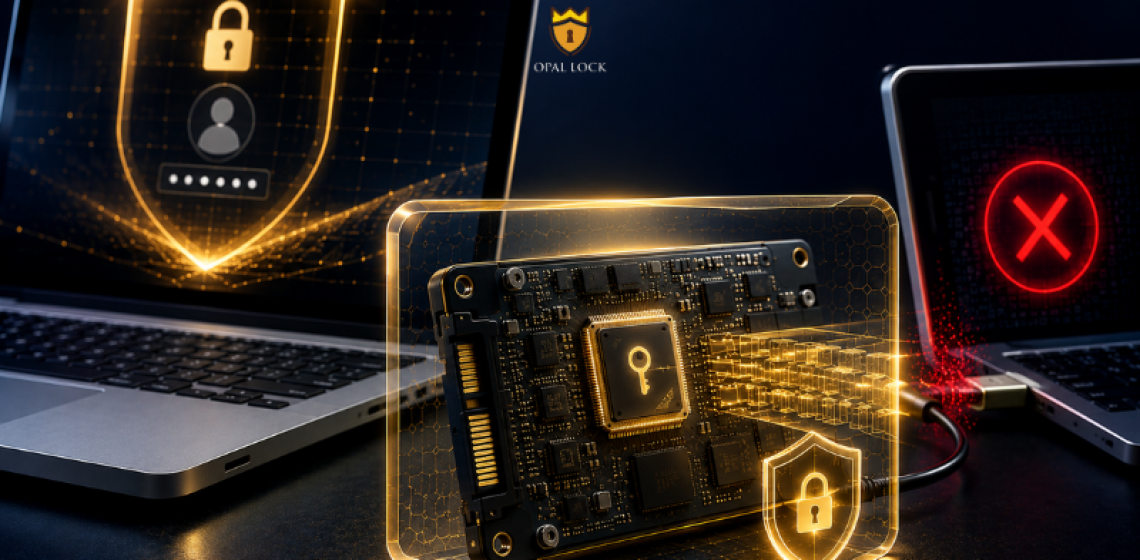
A login password keeps people out of your system. Encryption keeps them out of your data.
Every day, most people unlock their phone without thinking twice. Face ID, fingerprint, PIN – It is instinctive because personal information is on the line.
But when was the last time anyone thought about the SSD inside their laptop? That is where the emails, documents, client files, and backups actually live. And in most setups, that drive has no protection of its own.
A login password keeps unauthorized users out of your operating system. It is the front door. But if someone removes the drive from the machine and connects it to another system, the front door is no longer in the picture. The data on the drive is often accessible without any credentials at all.
Encryption is different. It protects the data itself, not just the path to it. A properly encrypted drive stays unreadable even when it is physically removed, connected to a different machine, or handed to someone with direct hardware access.
This is the gap that most people do not see until it is too late.
Software encryption runs through the operating system. It depends on the OS being present and intact. If the OS is bypassed or the drive is removed, the protection it provided goes with it.
Hardware encryption is built into the drive controller itself. It encrypts every byte of data written to the drive and decrypts it on read, entirely at the hardware level. The process does not depend on the OS, does not consume CPU resources, and does not affect performance. It operates invisibly in the background from the moment the drive is set up.
Drives built to the TCG Opal standard include this encryption engine from the factory. The engine is there from the moment the drive ships. What most people do not know is that it is not active until someone sets it up.
Opal Lock by Fidelity Height is a Windows application that activates and manages the hardware encryption already built into compatible TCG Opal and Pyrite self-encrypting drives. It does not add encryption to a standard drive. It gives users and IT teams control over the encryption engine inside a compatible drive.
Through Opal Lock, users can set up a password to enable locking, lock and unlock the drive manually or on power cycle, configure pre-boot authentication on Standard and Premium editions, query the drive and view its on-board event log, and perform cryptographic erase when the drive is retired.
Deleting a file does not make it gone. On an unencrypted drive, deleted data can often be recovered using standard recovery tools. This is a significant gap for anyone who repairs, resells, or recycles devices.
On a TCG Opal drive managed through Opal Lock, cryptographic erase closes that gap permanently. When the encryption key is deleted, all data on the drive becomes unrecoverable without needing to overwrite the physical storage. Opal Lock generates a Certificate of Sanitization after a successful erase, providing documented evidence that the drive was securely wiped. This is the kind of record that auditors and compliance teams can actually use.
Regulations like GDPR and HIPAA require organizations to protect sensitive data from unauthorized access, including data on storage devices that are lost, stolen, or retired. Hardware encryption through TCG Opal drives supports these requirements directly by ensuring data is protected at the drive level and that decommissioning can be documented.
Opal Lock is available in four editions. USB covers external USB-mounted Opal drives. Standard adds internal and system drive support along with pre-boot authentication. Premium includes everything in Standard and adds multi-drive operations and a second password with limited authority. Lite is a separate unlock-only license for recipients of shared encrypted USB drives.
You would not leave your phone unlocked in public. Your SSD carries more data than your phone and in most setups has less protection.
The encryption engine is already inside compatible drives. Opal Lock activates it.
Compare Opal Lock editions at fidelityheight.com/shops/
Ready to buy
Activate hardware encryption on compatible Opal drives in minutes. Select your edition and complete purchase below.
