
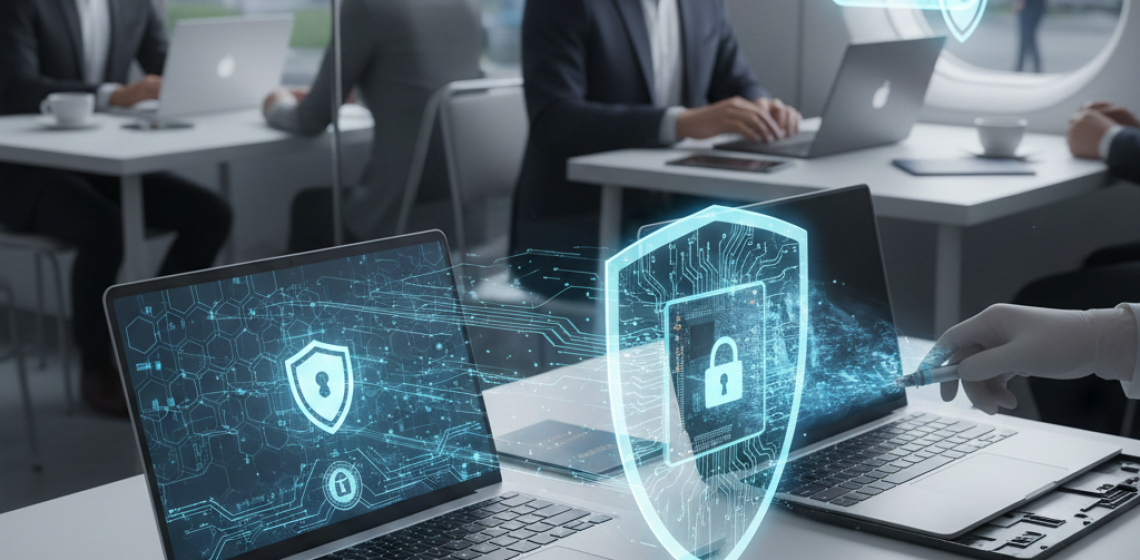
Every business laptop carries more value than its price tag.
It holds contracts, client data, passwords, invoices, and strategies that keep your company running.
Now imagine losing it.
In today’s digital world, that single device can become a gateway for cybercriminals. Whether you run a growing enterprise or a small startup, SMB laptop security is no longer optional it’s survival.
The good news is, protecting your business laptops doesn’t require complex systems or heavy budgets.
It starts with the right encryption tools, the right habits, and the right mindset.
That’s where Fidelity Height and Opal Lock come in simplifying business IT protection for organizations of all sizes.
When most companies think of cyberattacks, they imagine hackers breaking into servers.
But in reality, the majority of data breaches start with something simpler lost or stolen devices.
According to studies, nearly 60% of small businesses experience data loss due to misplaced laptops or unsecured systems.
The real issue isn’t the lost hardware; it’s the data inside.
That’s why small business encryption is becoming the foundation of modern data protection.
Without it, one missing laptop can lead to financial loss, legal penalties, and irreversible damage to reputation.
Encryption is the single most effective way to make your business data unreadable to anyone who shouldn’t have it.
There are two major methods:
While software encryption works for individuals, hardware-based encryption is far superior for SMB laptop security because it’s faster, automatic, and independent of operating systems.
With Opal Lock by Fidelity Height, you can activate this hardware protection instantly on compatible drives, ensuring your data remains locked even if the laptop is stolen or damaged.
A Self-Encrypting Drive (SED) automatically encrypts all data as it’s written and decrypts it when accessed with the right credentials.
This makes it an essential step in both enterprise and small business encryption.
Benefits include:
These drives comply with Trusted Computing Group (TCG) Opal standards, ensuring global-level protection.
Pairing SEDs with Opal Lock gives small and medium-sized businesses enterprise-grade encryption at a fraction of the cost.
4. Implement Hardware-Based Encryption Over Software
Software encryption is like a padlock you can open it if you find the right combination.
Hardware encryption, however, is like a vault built into the wall.
When encryption is done directly by the hardware (inside the SSD or HDD), it:
That’s why hardware-based encryption through Opal Lock by Fidelity Height is trusted by IT professionals and large corporations and it’s equally vital for SMBs aiming for strong business IT protection.
Security isn’t just about one tool. It’s about combining multiple layers that work together.
Here’s how small businesses can build an effective data protection strategy:
Each layer strengthens the next.
And Fidelity Height integrates them seamlessly into a single ecosystem.
Even with strong encryption, you need visibility.
Database activity monitoring helps you see who’s accessing data, when, and why.
This is crucial for compliance with General Data Protection laws such as GDPR or HIPAA.
With tools linked to Fidelity Height, businesses can generate automatic reports, track file transfers, and detect suspicious logins before damage occurs.
It’s not just security it’s data privacy in motion.
Encryption protects your data from outsiders.
Access control protects it from insiders.
Every company should implement:
When combined with hardware encryption, these measures make it nearly impossible for unauthorized users to access your data.
Outdated software is one of the most common entry points for attackers.
Ensure all laptops, especially those handling sensitive data, are regularly updated with the latest OS patches and security fixes.
Updates often include protection against new types of malware and ransomware that can attempt to bypass encryption layers.
With tools like Opal Lock, the encryption system itself doesn’t rely on your OS version, giving you continuous protection even between updates.
The most advanced encryption means nothing if your team doesn’t know how to use it properly.
Educate employees about:
When every team member understands business IT protection, the risk of breaches drops significantly.
Cloud storage is convenient, but it’s not a substitute for encryption.
Always encrypt data before uploading it.
With file encryption software and hardware encryption, your files remain protected even if your cloud credentials are compromised.
This step adds another wall of defense for small business encryption, especially for remote teams and hybrid workplaces.
When laptops reach end-of-life, they often end up in recycling or resale.
If drives aren’t wiped securely, old data can resurface later.
The best practice is to use secure erase features available in hardware encryption systems.
By deleting encryption keys stored in the drive, all data becomes unrecoverable no matter what recovery software is used.
That’s another reason why Opal Lock by Fidelity Height is trusted for data loss prevention and data destruction compliance.
Remote employees often carry business laptops outside office networks.
This is where encryption and access control play an even more important role.
Every remote device should:
Whether it’s a sales representative on the move or a manager working from home, small business encryption protects sensitive data anywhere.
For many businesses, data protection isn’t just about security it’s about staying compliant with regulations such as GDPR, HIPAA, or ISO 27001.
Failing to secure business laptops can lead to heavy fines and loss of trust.
Using Fidelity Height’s Opal Lock ensures encryption and data loss protection software align with global compliance frameworks automatically.
Even with full encryption, regular backups are vital.
Store encrypted backups offline or in a separate cloud environment to ensure business continuity.
This ensures that even in cases of ransomware, your encrypted data can be restored quickly and securely.
Small businesses often think enterprise-grade security is expensive.
But hardware encryption through Opal Lock proves otherwise.
It provides:
In short, hardware-based encryption is the simplest, most powerful step toward reliable SMB laptop security.
A stolen laptop may cost $800 to replace.
But the data inside could be worth millions.
From leaked client information to exposed financial details, one unencrypted laptop can cause business shutdowns or lawsuits.
That’s why organizations are now integrating hardware encryption, data loss prevention, and database protection as default security layers.
Security is moving toward automation and simplicity.
No manual settings, no slowdowns, and no dependencies.
That’s exactly what Opal Lock by Fidelity Height provides unseen protection that activates at the hardware level.
Whether you’re managing 10 laptops or 10,000, it’s time to secure them from the inside out.
Because the next generation of business IT protection isn’t about more tools.
It’s about smarter encryption that works silently and effectively.
Q1. How can small businesses secure their laptops effectively?
– Start with hardware encryption, strong access policies, and regular updates. Use Opal Lock by Fidelity Height for centralized encryption management and compliance.
Q2. What is the difference between software and hardware encryption?
– Software encryption relies on operating systems, while hardware encryption happens inside the drive itself, making it faster, more secure, and tamper-proof.
Q3. Is hardware encryption affordable for small businesses?
– Yes. With tools like Opal Lock, small business encryption becomes cost-effective, easy to deploy, and ideal for SMB laptop security.
Q4. How does encryption help with compliance?
– Encryption ensures sensitive data remains unreadable to unauthorized users, keeping businesses compliant with General Data Protection regulations.
Q5. What should I do before disposing of old laptops?
– Always use secure erase functions in hardware-encrypted drives to make data recovery impossible before disposal.
Your business laptops carry more than data they carry trust.
Protect them the right way with Opal Lock by Fidelity Height and transform your devices into self-protecting systems.
Because every small business deserves enterprise-level security.
Ready to buy
Activate hardware encryption on compatible Opal drives in minutes. Select your edition and complete purchase below.
